

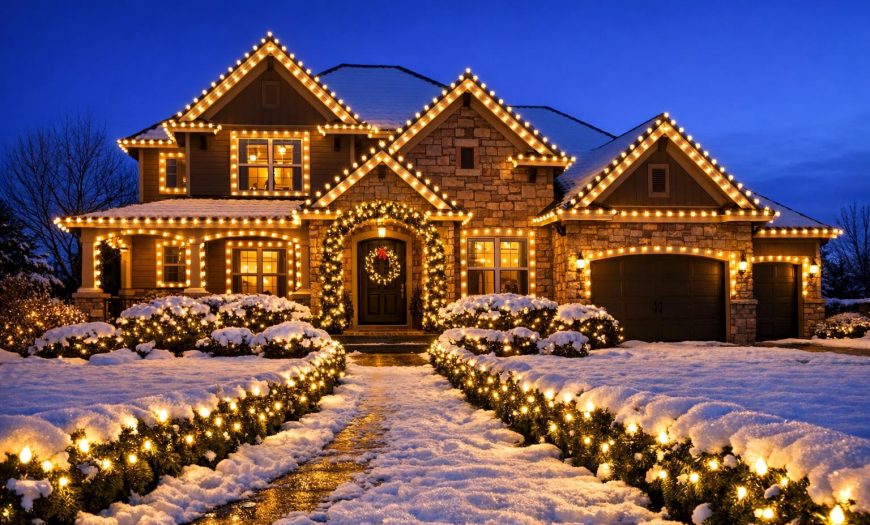
Turn your holiday lighting into frame-worthy photos (without blowing out the bulbs)
Holiday lights are one of the trickiest “easy” things to photograph: the scene is dark, the bulbs are bright, and cameras love to turn that contrast into a washed-out mess. With a few simple techniques—whether you’re using a phone or a DSLR—you can capture your Denver home or business display with crisp lines, rich color, and a warm glow that actually looks like what you saw in person.
Why holiday lights are hard to photograph
Cameras make exposure decisions by averaging the scene. Holiday displays confuse that system: the frame is mostly dark, with bright points of light that can easily “clip” (lose detail) if the camera exposes for the darkness. That’s why your roofline may look like a glowing white blob instead of clean, individual bulbs.
The solution is a deliberate workflow: stabilize the camera, pick a time window with some ambient glow, and control exposure so the lights keep their color and shape. Long exposures (paired with stability) are the secret sauce for many display shots. (Canon’s training guidance for holiday lights also emphasizes managing ISO, shutter speed, and aperture to handle the bright-on-dark challenge.) (usa.canon.com)
Quick “Did you know?” photo facts
Dusk beats midnight. Shooting shortly after sunset helps you keep a little detail in the sky and the building, while still getting bright lights. Many holiday-light photography guides recommend working around dusk for balanced results. (bhphotovideo.com)
Auto-focus can struggle. Low light often causes focusing issues; a bright edge, a sign, or manual focus can save the shot. (static1.squarespace.com)
White balance changes the “feel.” LEDs can lean warm or cool; adjusting white balance (or shooting RAW) helps keep whites from going yellow or blue. (picturecorrect.com)
A simple plan: pick your “photo goal” first
Before you touch settings, choose the style of image you want. Most holiday display photos fit into one of these:
| Photo goal | Best approach | Common mistake |
|---|---|---|
| Whole-house “hero” shot | Tripod, dusk/blue hour, controlled exposure, keep ISO low | Overexposed roofline bulbs that lose shape and color |
| Detail close-ups (wreaths, garland, trees) | Focus on one element; use shallow depth of field for sparkle/bokeh | Focus hunting and motion blur from handholding |
| People in front of the display | Expose for faces; add gentle fill light; avoid harsh flash | Dark faces with only bright lights visible |
Once you pick the goal, it’s much easier to choose stable technique and settings that match.
Step-by-step: DSLR & mirrorless settings that work
1) Stabilize first (tripod, timer, no touch)
If you want clean, sharp rooflines and tree wraps, stability matters more than expensive gear. Use a tripod and trigger with a 2–5 second timer or a remote to avoid vibrations—especially during longer exposures, a common recommendation in holiday light shooting guides. (tomsguide.com)
2) Start with a “safe” exposure recipe
For a whole-house display, try this baseline and adjust:
Aperture: f/8 to f/11 (keeps the house and roofline sharp)
ISO: 100–400 (lower noise, better color)
Shutter: 1/4s to 2s (adjust until the house looks right)
Similar starting points are commonly recommended for holiday lights when shooting on a tripod (low ISO, moderate aperture, and a slower shutter). (befunky.com)
3) Protect the bulbs from “blowing out”
If the bulbs lose color and turn white, shorten your shutter speed or drop exposure compensation (try -1 to -2). It’s better to slightly underexpose and lift shadows later than to lose bulb detail you can’t recover.
4) Set white balance with intention
Auto white balance can drift between shots. If your whites look too blue, warm the white balance; if your warm white LEDs look yellow/orange, cool it down slightly. White balance is tied to color temperature, and LED strings can vary—so test a few frames and keep the one that matches what you see. (picturecorrect.com)
Step-by-step: smartphone photos that don’t look “muddy”
1) Use Night mode—but hold still longer than you think
Most phones use multi-frame stacking in Night mode. Rest your phone on a railing, mailbox, or tripod mount for the cleanest results (even a small wobble softens rooflines).
2) Tap to focus, then lower exposure
After tapping on the brightest part of the display, drag the exposure slider down a touch. This keeps lights colorful and reduces that “white blob” look. Many smartphone tips for holiday lights also recommend using a timer delay to avoid shake. (tomsguide.com)
3) Skip the flash for wide display shots
On wide scenes, phone flash usually lights up only what’s close (snowbanks, shrubs) and makes the background display look dimmer by comparison. If you’re photographing people, use a soft continuous light (porch light, a warm lamp through a window, or a very gentle phone “screen light”) rather than blasting flash straight-on.
Denver-specific tips: cold nights, snow, and reflections
Cold drains batteries—fast
Keep a spare battery warm in an inside pocket and swap when performance drops. Cold-weather photography guides commonly note that batteries lose effectiveness in low temperatures; hand warmers can help keep gear functional. (flagpolephotographers.com)
Use snow as a “free reflector”
Fresh snow can brighten the foreground and add sparkle, but it also tricks your camera into underexposing. If snow looks gray, nudge exposure up slightly—then re-check that bulbs still have color.
Watch for wind (tree wraps + garland)
Long exposures and a breezy night can blur branches and hanging décor. If you see motion blur, shorten shutter speed and raise ISO slightly—or shoot a burst and pick the sharpest frame.
Make it look “designed”: composition tricks that flatter your display
Include a foreground anchor
A lit pathway, a wreath, or a small tree wrap in the foreground adds depth and makes the photo feel immersive.
Keep verticals straight
Step back and zoom in slightly instead of standing close with a wide lens—this reduces “leaning house” distortion that makes rooflines feel off.
Try one “bokeh” shot for variety
Focus on a single ornament, gift box, or sign close to the camera and let background lights blur into soft circles. Smartphone and camera guides often highlight this as a simple way to create a dreamy holiday look. (tomsguide.com)
Want a display that photographs beautifully from every angle?
A camera-friendly holiday setup starts with clean rooflines, consistent spacing, and thoughtful focal points (trees, entryways, and pathways). Denver Christmas Light Installers designs, installs, maintains, removes, and stores custom holiday lighting so your home or business looks great in person—and on camera.
FAQ: photographing holiday light displays in Denver
What time should I photograph my holiday lights?
Aim for dusk/blue hour (shortly after sunset). You’ll keep detail in the sky and your home’s exterior while the lights still pop—often easier than shooting in total darkness. (bhphotovideo.com)
How do I stop my roofline lights from looking like a bright blob?
Lower exposure (shorter shutter speed, lower ISO, or -1 to -2 exposure compensation). It’s okay if the scene looks a little darker—protecting bulb detail keeps the photo looking premium.
Do I need a tripod?
For the sharpest whole-house photos, yes—especially if you’re using slower shutter speeds. If you don’t have one, stabilize your camera/phone on a solid surface and use a timer to avoid shake. (tomsguide.com)
Why do my LED lights look too blue or too yellow in photos?
That’s white balance (color temperature). Try a different white balance preset, set a Kelvin value if your camera allows it, or shoot RAW so you can correct it later. LEDs can vary in color temperature, so testing is normal. (picturecorrect.com)
How can I get great photos of our outdoor tree lighting?
Shoot slightly wider than you think you need (trees feel bigger in person), include a ground reference (snow, walkway, trunk base), and use a tripod if you want the wraps to look crisp. If you’re planning a tree-focused display, see our Outdoor Tree Lighting options for ideas that photograph beautifully.
Glossary (quick definitions)
Blue hour: The period shortly after sunset (or before sunrise) when the sky is deep blue and ambient light is soft.
Bokeh: The aesthetic quality of out-of-focus light points, often seen as soft circles behind a sharp subject.
Exposure compensation: A quick control (+/-) that tells your camera to make the image brighter or darker than its automatic choice.
Clipping: When highlights (like bulbs) are so bright they lose detail and become pure white.
White balance (color temperature): A camera setting that corrects color casts so whites look neutral; commonly adjusted in Kelvin (K). (picturecorrect.com)

Leave feedback about this